Customization Without Code: Simplifying Shopify Theme Editing
james is a passionate writer and e-commerce enthusiast with a keen interest in Shopify store design and optimization. With years of experience in the industry, james has helped numerous businesses create visually stunning and highly functional Shopify stores that enhance the shopping experience for their customers.
Introduction
As an e-commerce entrepreneur, having a visually appealing and unique online store is crucial to attract and retain customers. Shopify, one of the leading e-commerce platforms, offers a wide range of themes to help businesses create stunning store designs. The good news is that you don't need to be a coding expert to customize your Shopify theme. In this blog, we will explore how you can simplify Shopify theme editing and achieve a fully personalized and professional look for your online store without writing a single line of code.
The Importance of Customizing Your Shopify Theme
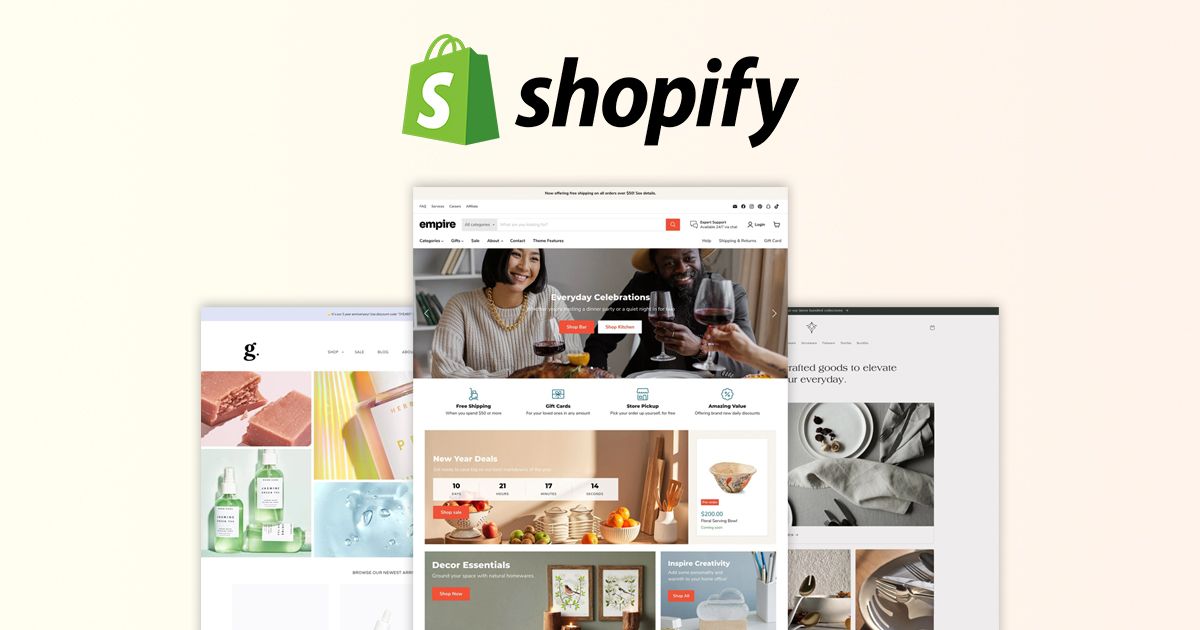
A well-customized Shopify theme sets your online store apart from competitors, creates a memorable brand experience, and fosters trust and credibility among customers.
An Overview of Shopify Themes and Their Customization Options
Understanding Pre-made Themes
Shopify offers a vast collection of pre-made themes, each with its own design and layout options.
The Shopify Theme Customization Panel
The theme customization panel is an intuitive interface that allows easy editing of theme settings.
Available Design Options and Settings
Themes offer various design options for colors, fonts, layouts, and more, allowing for a personalized touch.
Exploring Theme App Integrations
Shopify themes can be enhanced with third-party apps that extend functionality and customization.
Simplifying Shopify Theme Editing: No Coding Required
Accessing the Shopify Theme Customization Panel
The customization panel can be accessed directly from the Shopify admin dashboard.
Logo and Branding Customization
Uploading a custom logo and adjusting branding elements aligns the theme with your brand identity.
Colors and Typography Customization
Choosing custom colors and typography creates a cohesive and unique look for your store.
Homepage Layout and Content Customization
Rearranging homepage sections and customizing content highlights key offerings and promotions.
Navigation and Menu Customization
Customizing navigation menus ensures smooth and intuitive user navigation.
Product Page Customization
Tailoring product page layouts and elements optimizes the presentation of your products.
Exploring Shopify Theme Apps for Advanced Customization

Adding Custom Sections and Features
Shopify apps provide additional sections and features to create unique and engaging store experiences and Create Shopify themes.
Implementing Interactive Elements
Interactive elements, such as animations and pop-ups, add interactivity to the store.
Enhancing SEO and Mobile Responsiveness
SEO apps optimize the store for search engines, while mobile apps ensure responsiveness on all devices.
Integrating Social Media and Reviews
Social media integrations and review apps help build a strong social presence and credibility.
Offering Personalized Product Recommendations
Personalization apps recommend products based on customer behavior, enhancing the shopping experience.
Best Practices for Successful Shopify Theme Customization
Consistency in Branding and Design
Maintaining consistency in branding and design elements reinforces brand identity.
Testing and Previewing Changes
Previewing changes before applying them ensures a seamless and error-free customization process.
Seeking Inspiration from Successful Stores
Drawing inspiration from successful stores can spark creativity and innovative ideas.
Listening to Customer Feedback
Taking customer feedback into account helps tailor the store to meet customer needs and preferences.
Backing Up Your Theme Customizations
Regularly backing up theme customizations safeguards against accidental data loss.
The Benefits of Customizing Without Code
Time and Cost Savings
Code-free customization reduces the need for hiring developers, saving time and money.
User-Friendly Experience
Non-technical users can easily customize themes, eliminating the need for coding knowledge.
Flexibility and Creativity
No-code customization allows for limitless creative possibilities and experimentation.
Seamless Updates and Maintenance
Customizations remain intact during theme updates, ensuring a smooth maintenance process.
Wide Accessibility to Non-Technical Users
Non-technical entrepreneurs can take full control of their store design and branding.
Conclusion
Simplifying Shopify theme editing without code empowers entrepreneurs to create visually stunning and personalized online stores. With an array of customization options and third-party apps, businesses can stand out in the competitive e-commerce landscape. By embracing no-code customization, entrepreneurs can enjoy the flexibility, creativity, and cost savings of customizing their Shopify themes without relying on developers. Whether you're starting a new store or refreshing an existing one, a fully customized Shopify theme will set the stage for a memorable and successful online venture.